GoHighLevel AI Agent Routines: Run Tasks on a Schedule
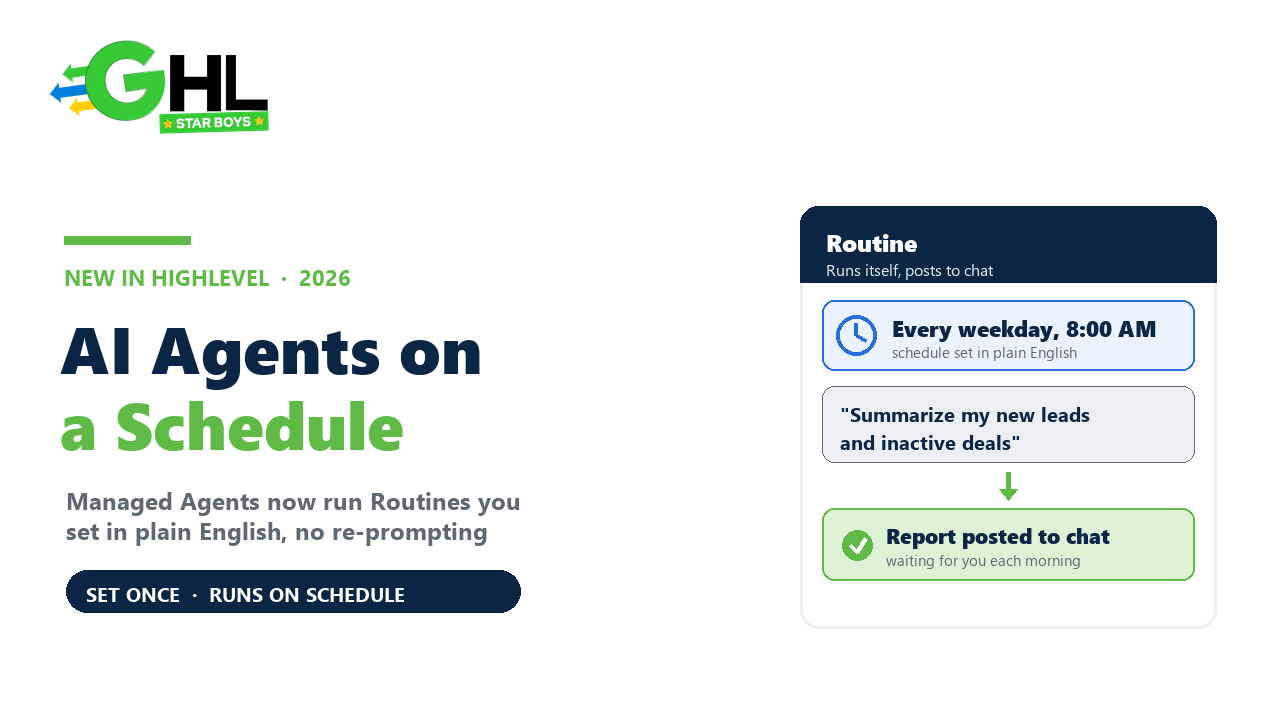
GoHighLevel Managed Agents can now run on a schedule. A new feature called Routines lets you tell an AI agent a task in plain English, like summarize my new leads every weekday at 8 AM, and it runs on its own and posts the results in the same chat. No manual triggers, no re-prompting. Here is what Routines do, what you can automate with them, and the limits worth knowing before you lean on them.
Up to now, a HighLevel AI agent only worked when you talked to it. You asked, it answered. Routines, announced in November 2026, flips that: the agent keeps working while you do not. It is the difference between a very smart assistant who waits to be asked and one who shows up every morning with the report already done.
What are GoHighLevel Routines?
Routines are scheduled tasks for a Managed Agent, set up in natural language. You tell the agent what to do and how often, it runs the task on that schedule, and it drops the results into the same conversation where you created it. There is no trigger builder to configure. You simply say something like "every weekday at 8 AM, summarize my new leads and inactive deals," and the routine is live. Each routine stays tied to its conversation, so you can keep chatting about the results, and unread indicators flag when a new update has landed.
What are Managed Agents and Agent Studio?
If you are new to this part of HighLevel, a quick primer. Agent Studio is where you build Managed Agents, which are AI agents you create by describing what you want in plain language rather than wiring up a flowchart. Once an agent is published, it can be run and can take actions. Routines add the scheduling layer on top. These agents sit alongside the rest of HighLevel's AI stack, from the AI Employee to the broader build tools in AI Studio, and they are aimed at the same people: agencies that want to productize automation for clients, SaaS resellers, and busy local businesses that do not have a developer on staff.
What can you automate with Routines?
The useful part is not the feature, it is what you point it at. Here are concrete, real examples an agency or business could set up today:
- Daily lead and deal summary. "Every weekday at 8 AM, summarize my new leads and inactive deals," which is the official example and a genuinely useful morning briefing.
- Stale opportunity alerts. A routine that flags every opportunity with no activity in 7 days, so nothing rots silently in the pipeline.
- Weekly client reporting. Monday at 9 AM, compile last week's booked calls, no-shows and new contacts into a tidy summary an agency can forward to a client.
- Reputation watch. A daily check for new reviews so a response never slips, which pairs with the review workflows agencies already run.
- Computer-powered tasks. With the Computer capability, a routine can browse a website and complete a recurring task, like pulling a number from a dashboard, after you approve the actions once.
The value, as always, is in setting these up well and connecting them to the follow-up behind them, which is exactly the kind of build a done-for-you team handles daily. GHLStarboys, an official HighLevel 2026 Marketplace Award winner, builds this automation plumbing for agencies, so a new capability like Routines slots straight into existing work.

Manual agent vs scheduled routine
The shift is small to describe and large in practice. Here is the before and after.
| Talking to the agent | A Routine | |
|---|---|---|
| How it runs | Only when you prompt it | On a schedule you set in plain English |
| Who starts it | You, every time | Nobody, it runs itself |
| Best for | One-off questions and ad hoc tasks | Recurring reports, checks and briefings |
| Results | Appear when you ask | Posted in the chat, with an unread flag |
| Effort over time | Repeats every single time | Set once, runs until you pause it |
How to set up a Routine in GoHighLevel
The flow is deliberately simple, because the scheduling lives in the conversation rather than a settings panel.
- Go to AI Agents, then Agent Studio, then Managed Agents.
- Open a published Managed Agent (routines run the published version, not a draft).
- In the chat, ask the agent to do a task on a schedule, for example "every Monday at 9 AM, send me last week's booked calls and no-shows."
- If the task uses the Computer capability, approve the website actions once when prompted. Anything sensitive, and all payments, will pause for your approval.
- Manage everything from the Routines tab: pause, resume, adjust permissions and view execution activity.
If you do not have GoHighLevel yet and want to try Agent Studio and Routines yourself, you can start an extended GoHighLevel trial here.
Disclosure: that is an affiliate link. If you start a GoHighLevel trial through it, GHLStarboys may earn a commission at no extra cost to you, and you can claim its onboarding bonuses.
Limits and safety to know before you rely on it
Routines are powerful, so here is the honest fine print rather than the hype. You can have up to 10 active routines per person, per agent, and the minimum interval between runs is 1 hour, so this is for recurring work, not real-time monitoring. Each routine runs the agent's published version, which means a change you make in a draft does not take effect until you publish. Every execution follows standard Managed Agents usage billing, so a routine that runs often adds up, worth keeping in mind before you schedule something hourly. On safety, HighLevel built in sensible guardrails: routines automatically pause after repeated failures, Computer actions need a one-time approval, and payments always require approval rather than running unattended. One thing still on the way: email notifications for routine updates are coming soon, so for now you check results in the chat.
Frequently asked questions
What are GoHighLevel Routines?
Routines are scheduled tasks for a Managed Agent, set up in plain language. You tell the agent what to do and how often, and it runs on that schedule and posts the results in the same chat, with no trigger configuration needed.
How many routines can you have?
Up to 10 active routines per person, per agent. The minimum interval between runs is 1 hour, so routines suit recurring reports and checks rather than real-time monitoring.
How are GoHighLevel Routines billed?
Each execution follows standard Managed Agents usage billing. There is no separate routine fee stated, but a routine that runs frequently uses more, so schedule with that in mind.
Are Routines safe to run unattended?
They include guardrails. Routines pause automatically after repeated failures, Computer-based website actions need a one-time approval, and payments always require explicit approval rather than running on their own.
Where do you set up a Routine?
In AI Agents, under Agent Studio, open a published Managed Agent and ask it in chat to do a task on a schedule. You then manage all routines from the dedicated Routines tab.
The bottom line
Routines turn a HighLevel AI agent from something you operate into something that operates on its own, which is the whole promise of automation finally applied to the agents themselves. Start with one morning briefing, confirm it is accurate, then expand. Agencies that want an award-winning team to design the agents, the routines and the follow-up around them can book a free growth call with GHLStarboys, and anyone tracking HighLevel's AI releases can also see the recent ChatGPT Ads launch inside the same platform.