GoHighLevel AI Studio Now Syncs With GitHub
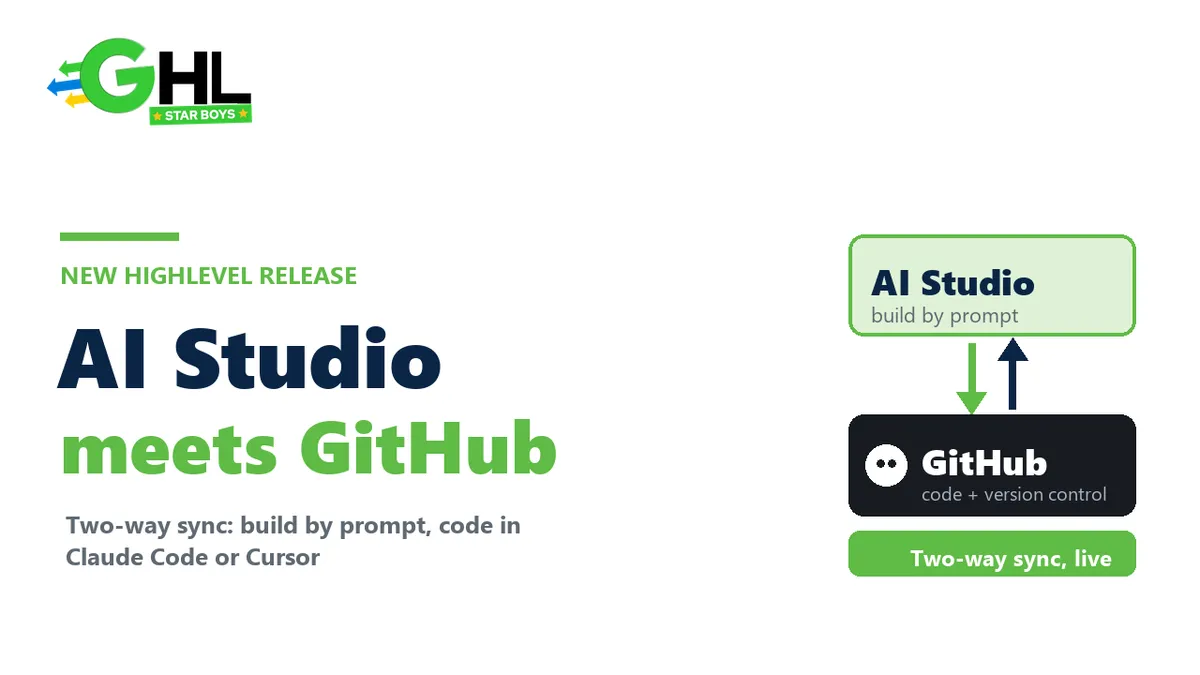
HighLevel just shipped something that quietly changes what AI Studio is. AI Studio now does two-way GitHub sync, which means you can build an app from prompts inside GoHighLevel, then open that exact project in Claude Code, Cursor, Copilot or Gemini CLI, make real code changes, and have them flow straight back into AI Studio. The closed, prompt-only builder just became a genuine developer workflow.
It is a small changelog line with big implications, especially if you build apps or tools for clients. Here is exactly what the new AI Studio Git Sync does, how to turn it on, and why it matters.
What is GoHighLevel AI Studio?
AI Studio is HighLevel's AI-powered app and tool builder, built right into GoHighLevel. You describe what you want in plain language, it generates a working app with a live preview, and you refine it with more prompts or direct code edits. Think of it as a build-by-prompt environment, similar to the new wave of AI app builders, but living inside the platform your agency already runs on. Until now, the catch was that your project mostly lived inside AI Studio's own editor. That is what changed.
What is the new GitHub sync?
It is a two-way connection between an AI Studio project and a GitHub repository. Every version you save in AI Studio, prompts, code edits, visual edits and restores, is pushed to GitHub automatically. And every new commit made on the connected branch outside AI Studio is pulled back in automatically, with a fresh preview built in the background. Your project stays in sync in both directions without manual exporting or importing.
What actually syncs
The sync is more thoughtful than a plain export, and a few details matter in practice:
- Pushed to GitHub: every saved version, covering AI prompts, code changes, visual edits and restores. Binary files like images and fonts are preserved on every sync, not stripped.
- Pulled back: every commit made on the connected branch outside AI Studio. A new preview builds in the background, and you click Update preview when it is ready. If a build fails, there is Retry build and a Try to fix option.
- Secret scanning: pushes are scanned for secrets such as AWS, GitHub, Stripe and OpenAI keys, plus private keys, and are blocked if any are found. That is a genuinely useful guardrail against leaking credentials into a repo.
- One branch at a time: only the branch you connect is synced, and it starts on main, which you can change later.
Use your own tools, not just the AI Studio editor
This is the part that actually matters. Because the project lives in GitHub, you are no longer limited to prompting inside AI Studio. HighLevel explicitly lists Claude Code, Codex, Cursor, Copilot and Gemini CLI as editors and coding agents you can point at the repo. Make your changes there, commit, and they show up back in AI Studio with a fresh preview. For anyone who found pure prompt-building limiting, this is the unlock, and it pairs naturally with the kind of Claude and GoHighLevel workflows we have written about before.
Here is the before and after, plainly.
| Capability | AI Studio on its own | AI Studio + GitHub sync |
|---|---|---|
| Where you edit | AI Studio's prompt and code editor only | Also Claude Code, Cursor, Copilot, Codex, Gemini CLI |
| Version control | Saved versions inside the tool | Full Git history in your own repo |
| Collaboration | Inside the sub-account | Standard GitHub pull requests and branches |
| Moving code out | Manual download | Automatic two-way sync |
| Rollback | Restore a saved version | Restore, plus revert any commit in Git |
How to turn it on
Setup is quick and happens inside the project:
- Open your AI Studio project and go to More, then Git.
- Connect a personal GitHub account or an organization.
- Choose whether to share the connection with the whole sub-account or keep it personal.
- Pick a branch. It starts on main, and a new branch is created on the next push if you switch.
A private repository named after your project is created for you, and the first push happens during setup. If you ever reconnect a project, it reuses the earlier repository rather than force-pushing over it, so nothing gets clobbered.
The controls that keep it safe
HighLevel built in the guardrails you would want before letting code flow both ways:
- Toggle the automation. Automatic push and automatic pull can each be turned off, and Push now and Pull now are always available for manual control.
- Conflict handling. If GitHub and AI Studio both have new commits, you choose Force push, where AI Studio wins, or New branch, which keeps both sides.
- Sync History. A log shows totals, success rate and every commit that moved, so you can audit what synced.
- A dedicated permission. A new Manage Git and download code permission controls Git access and downloads. It is on by default for every role, and agency admins can disable it per user under Settings, Team, Permissions, AI Studio. Users without it can still build, edit and preview, they just do not see the Git tab.
Two small things to know: it currently works with React (Vite) and TanStack Start projects, and commits made by AI Studio show up in GitHub as GHL AI Studio rather than your own identity.
Why this matters for agencies
If you build apps, portals or internal tools for clients, this moves AI Studio from a nice demo toy into something you can actually ship and maintain like real software. Proper version control, pull requests, and the ability to drop into Claude Code or Cursor when a prompt will not cut it, that is the difference between a one-off build and a product you can support. It sits alongside HighLevel's wider AI push, like the Claude and Gemini models in its AI Agent, and it rewards teams who can actually code, not just prompt. This is exactly the kind of build work agencies increasingly want handled for them, which is a big part of what our fulfillment team does. GHLStarboys builds inside GoHighLevel for 1,200+ agencies with 350+ vetted experts, so if AI Studio is where your next client product lives, you do not have to build it alone.
If you want to try AI Studio and the new Git sync yourself, GoHighLevel runs a free bootcamp that extends the standard trial to 30 days, which is a solid way to explore the platform before you commit.
Disclosure: the bootcamp link above is an affiliate link. GHLStarboys may earn a commission if you sign up through it, at no extra cost to you. The trial extension and bootcamp are provided by HighLevel.
Questions people actually ask
What is GoHighLevel AI Studio Git Sync?
It is a two-way connection between an AI Studio project and a GitHub repository. Every version you save in AI Studio is pushed to GitHub, and every commit made on the connected branch outside AI Studio is pulled back automatically with a fresh preview. It keeps your project in sync both ways without manual exporting.
Is the GitHub sync two-way?
Yes. Saved versions in AI Studio push out to GitHub, and new commits on the connected branch pull back into AI Studio automatically. You can also turn automatic push or pull off and use Push now or Pull now manually. If both sides have new commits, you choose Force push or a new branch.
Which tools can I use to edit an AI Studio project?
Because the project lives in GitHub, HighLevel lists Claude Code, Codex, Cursor, Copilot and Gemini CLI as editors and coding agents you can use. Make changes in any of them, commit to the connected branch, and they sync back into AI Studio with a new preview built in the background.
What project types does it support?
The Git sync currently works with React (Vite) and TanStack Start projects. Only the branch you connect is synced, starting on main by default, and you can switch branches later. Projects that do not connect GitHub are unaffected and keep working exactly as before.
Will it push my API keys and secrets to GitHub?
No. Pushes are scanned for secrets such as AWS, GitHub, Stripe and OpenAI keys, plus private keys, and the push is blocked if any are found. Binary files like images and fonts are preserved on every sync. It is a useful guardrail against accidentally leaking credentials into a repository.
Who can access the Git features?
A new permission, Manage Git and download code, controls Git access and downloads. It is on by default for every role, and agency admins can disable it per user under Settings, Team, Permissions, AI Studio. Users without it can still build, edit and preview their projects, they just will not see the Git tab or download options.
The bottom line
AI Studio Git Sync is the feature that makes HighLevel's app builder credible for real development. Build fast with prompts, then bring in proper version control and professional coding tools like Claude Code or Cursor when you need them, with changes flowing both ways. For agencies planning to ship client-facing apps and tools, it closes the gap between a quick AI build and software you can actually maintain.